Northern Trust · 2024-2026
Scalable Dashboard Ecosystem
I led the design of a scalable dashboard framework across multiple Hedge Fund Service products within Northern Trust, transforming fragmented visualization needs into a unified, flexible system used by both internal teams and external clients.
- Enterprise UX
- Scalable Framework
- Design System
- Operational Intelligence
- Data Visualization
Global Controls
Drill-In View
Scalable Widget Library
Project overview
My role
Lead UX Designer
Timeline
2024 - 2026
Platform
Omnium Passport (Hedge Fund Services)
Focus
UX Strategy · Design System · Scalability · Hedge Fund FinTech
Team
- Project Manager
- Product Owner
- Business partner (Internal User)
- Developer
Methods
- UX Research · User Interviews
- Information Architecture
- Design System Documentation
- Cross-functional alignment (Product, Business, Engineering)
The Context and Challenge
Northern Trust's Omnium is a high-stakes technology platform for hedge fund services, delivering real-time data and middle/back-office support to alternative asset managers. Because alternative investments cover a vast array of complex asset classes and specialized workflows, different teams across the ecosystem were facing a shared challenge:
How to visually surface complex financial data in an intuitive way for diverse user personas.
This operational footprint was immense, spanning across multiple verticals:
9
teams
40+
products
From Zero to One
Less is More Pivot: Designing for Collateral Management
Collateral Management was the first team to bring me a dashboard request — and it arrived after a year of working together, which meant I already understood their product deeply enough to ask harder questions.
ACT 1 · Discovery: Challenging the "Blank Canvas"
The initial business requirement was ambitious: a free-form dashboard builder that would allow users to select any data point and any chart type. Flexible, open-ended, fully customizable.
Instead of moving directly into design, I stepped back to clarify:
Who are the users?
What decisions does this dashboard need to support?
Why is flexibility important in this context?
By consulting with research partners and analyzing similar legacy tools, I identified a significant risk: Fully flexible dashboards have a hidden cost: they put the burden of setup on the user. A long configuration process means a steep learning curve — and in practice, these tools often go underused.
| What was asked | What was actually needed |
|---|---|
| User-configured, free-form dashboard | Purpose-built widgets tied to real user decisions |
| One-size-fits-all chart types | Targeted visualizations per persona and workflow |
| A solution for one product | A scalable foundation the platform could grow into |
ACT 2 · Reframe: Clarity Over Configuration
Reframing the problem unlocked a better direction: instead of asking users to configure their view, we would curate it for them — with enough flexibility to still feel personal. I led a strategic pivot from a "configuration tool" to a purpose-driven module system. My guiding mantra became: Less is More.
To validate this, I facilitated a series of user interviews across different personas. We discovered that while their use case varied, their core supportive data points were overlapped.
Internal Operations: Needed high-density tracking of pending tasks, transaction failures and P&L exceptions.
External Clients: Required high-level transparency into portfolio health and asset support.
Instead of a blank canvas, I proposed a Curated Widget Library—pre-defined, expert-modeled modules that answered specific business questions out of the box.
ACT 3 · Design: From Feature to System
We conducted user interviews across internal and external personas to identify concrete data needs. Each validated need was translated into a purpose-built widget with a clear definition and consistent visual language.
Leveraging the Ecosystem
Instead of reinventing the wheel, I anchored the design in Northern Trust's established Design System and Omnium's existing page layouts. By reusing familiar patterns—grid structures, typography, and interaction logic—we significantly lowered the learning curve. Users didn't have to "learn" a new dashboard; they simply applied their existing knowledge of the Omnium platform.
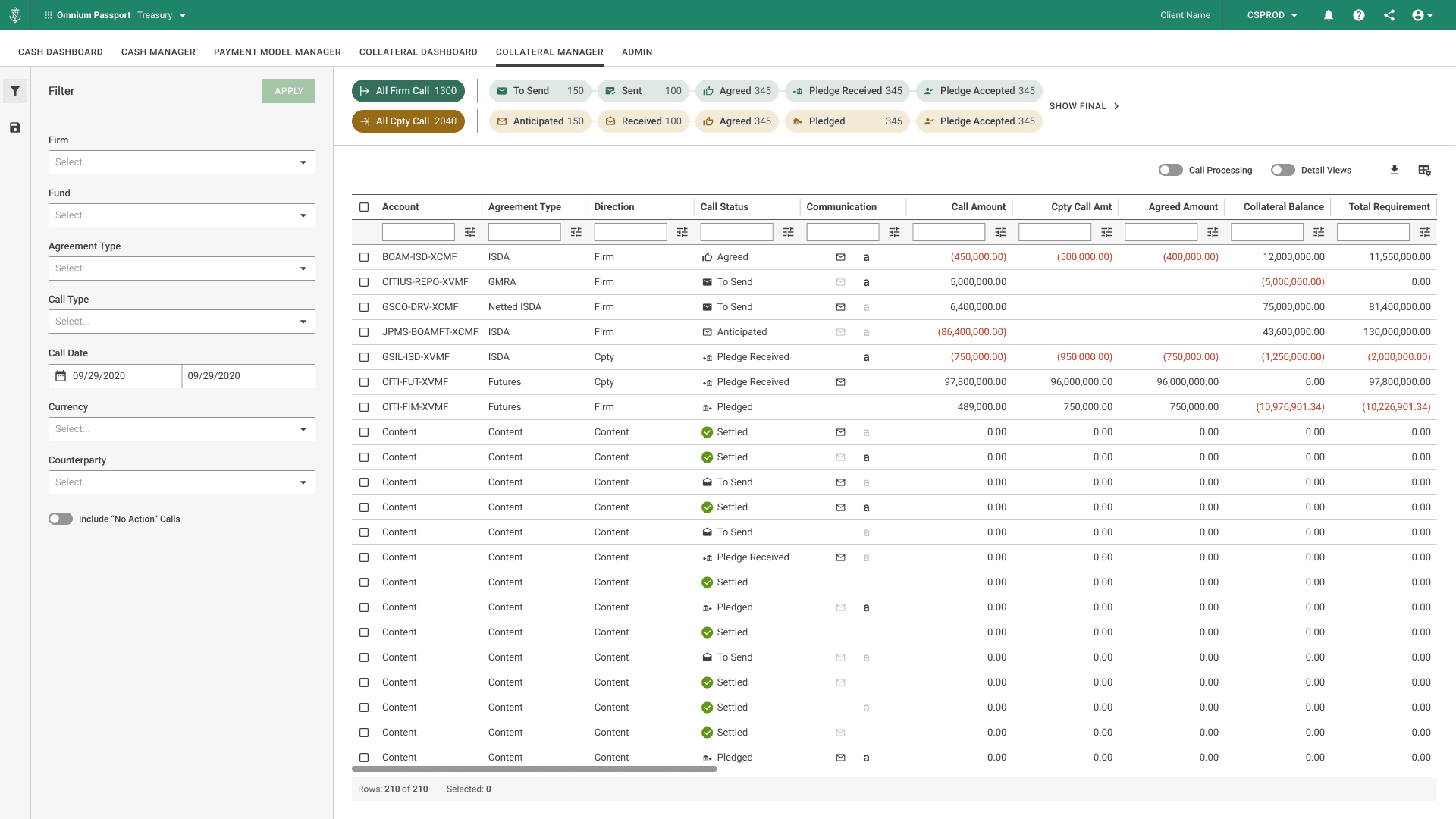
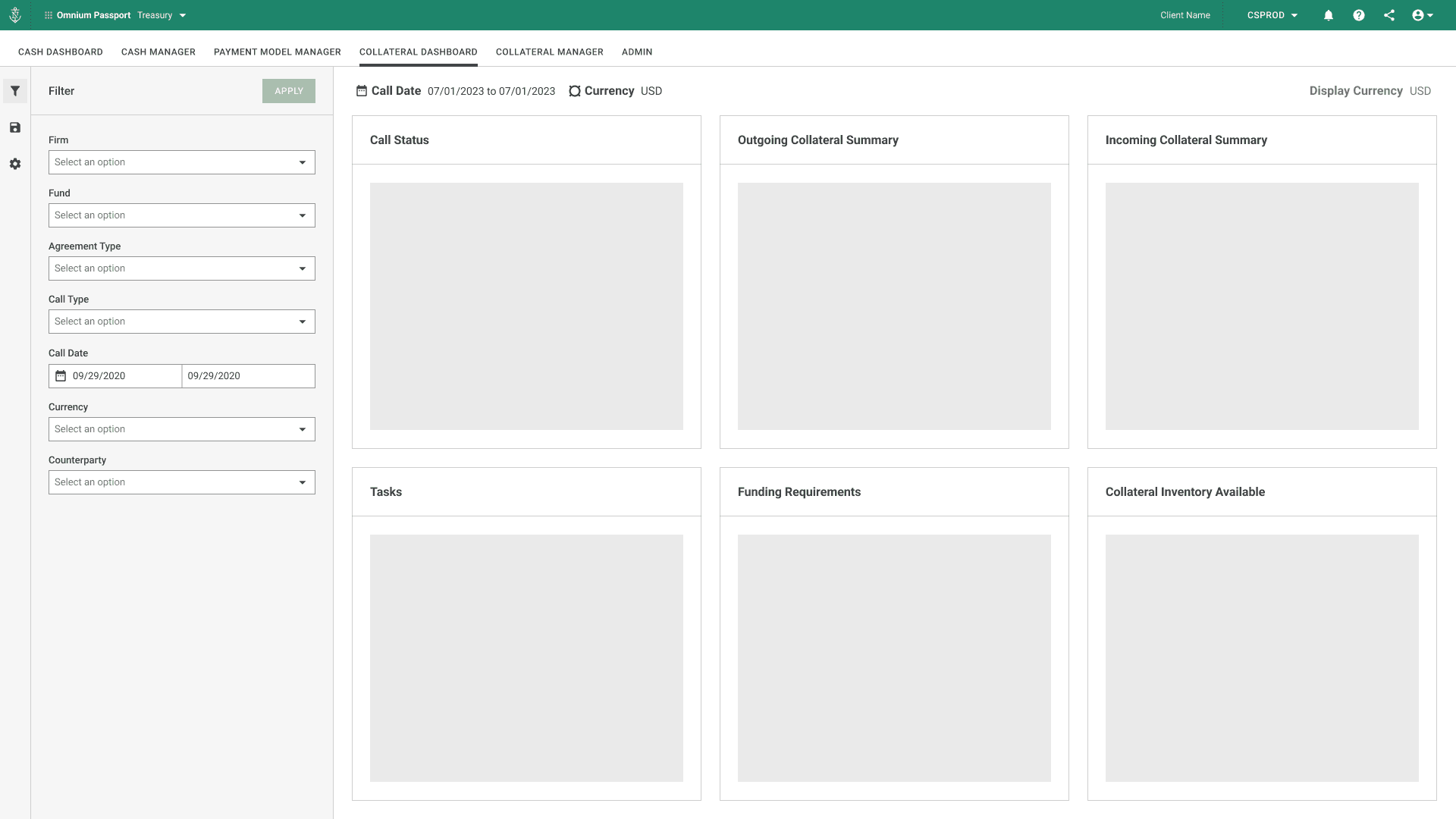
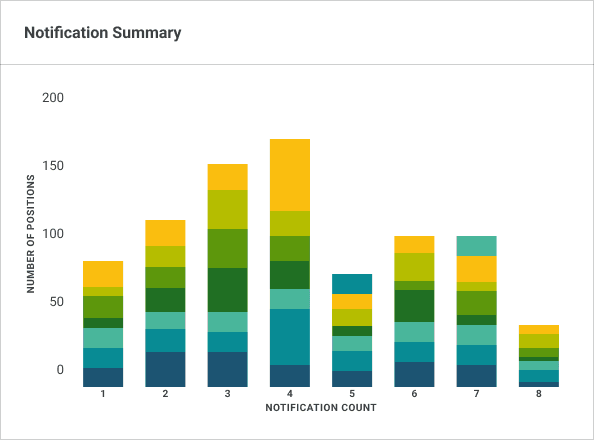
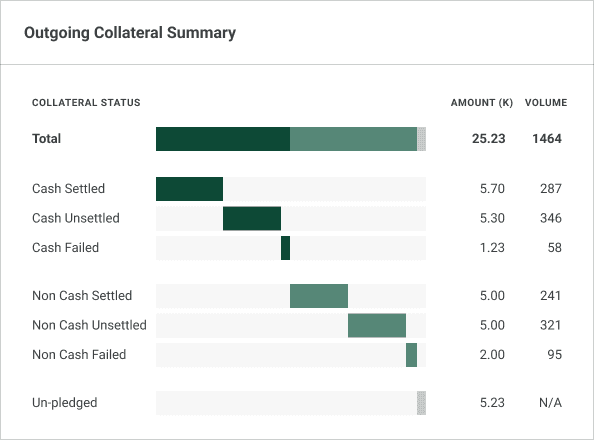
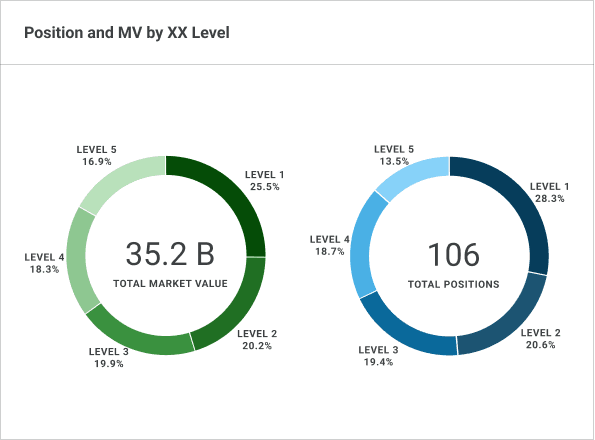
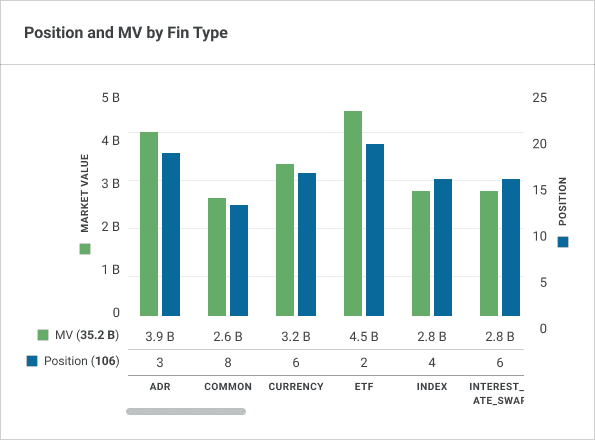
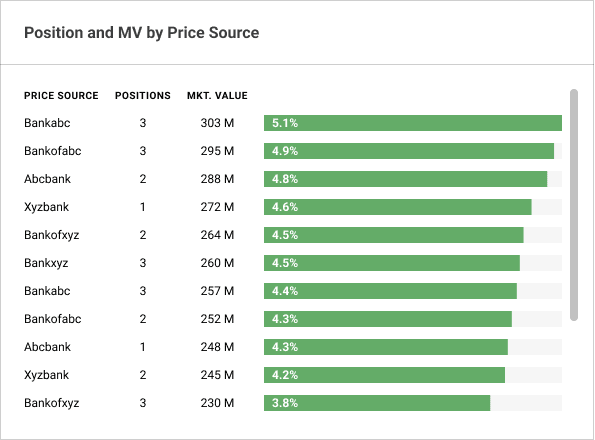
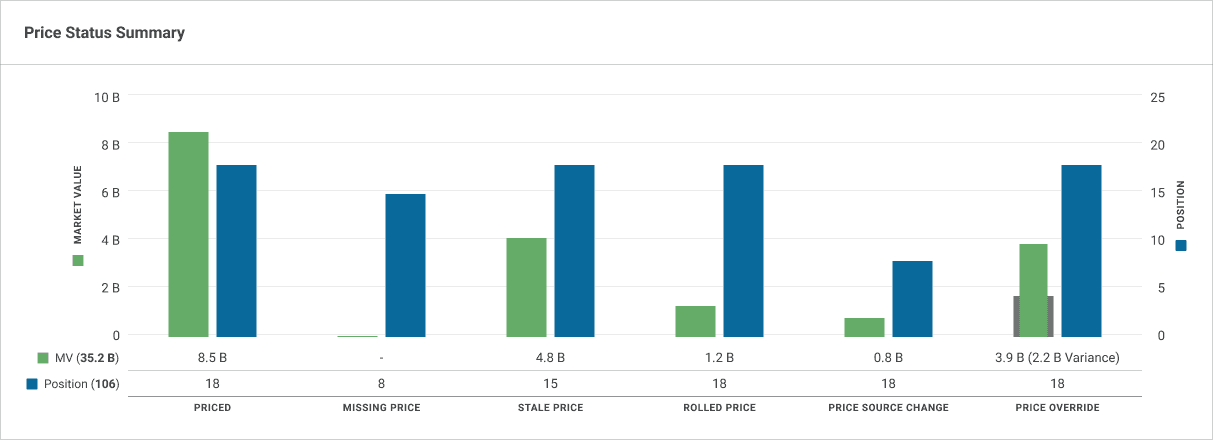
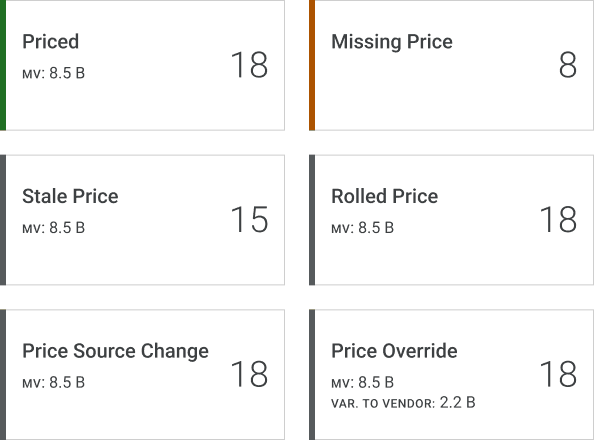
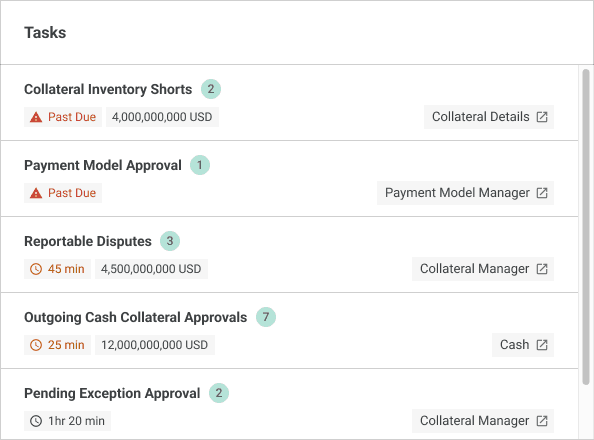
Curated Widget Library
The result was a curated widget system — users choose what they need, not how to build it. The same library supports both internal operations and client-facing views, adapting layout and data density by context.
Efficiency through Standardization
By standardizing the core structure of each widget (header, visualization, filters), the system:
Reduced Learning Curve: Dashboards can be assembled in seconds.
Adapted to Different Personas: Tailored views without duplicating design or logic.
Established a Scalable Foundation: Enabling seamless reuse across future products.
From One to Many
The Multiplier Effect: Scaling to the Asset Verification Tool (AVT)
Following the success of the Collateral framework, the Asset Verification Tool (AVT)—an internal platform for tracking complex private investment audits—became the first product to adopt the system.
By inheriting the pre-existing grid, tokens, and interaction patterns, we bypassed foundational exploration entirely, drastically compressing the timeline:
4
weeks from Kickoff to Dev Handoff
2
teams across HFS / GFS
The Challenge & Evolution: Moving Beyond "Chart Wishlists"
The initial request was a traditional, status-heavy reporting page. However, research into the audit workflow revealed that users didn't need to passively monitor progress; they needed to immediately spot blocked or overdue work.
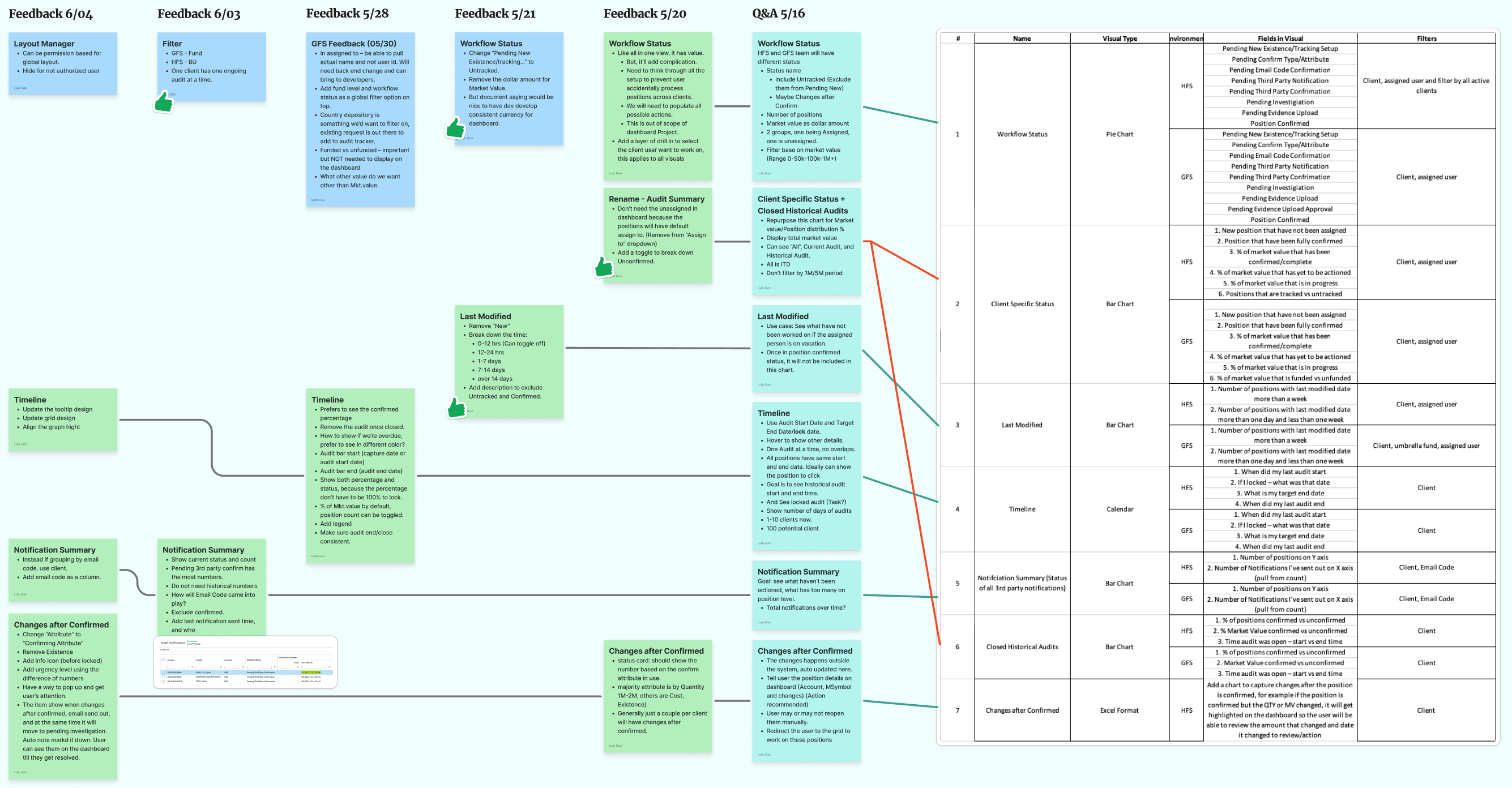
Instead of building bespoke widgets, I used this project to validate and mature the global system for specialized internal environments:
Completing the Persona Matrix
While Collateral balanced both internal and external user needs, AVT allowed us to deep-dive into a purely internal, high-density operations environment (HFS vs. GFS). We mapped and codified extreme risk-triage behaviors, embedding these deep operational workflows into our global UX standards.
Stress-Testing Pre-Existing Frameworks
The Layout Manager (Leveraged from Collateral): AVT perfectly vindicated this feature. It allowed different internal operational teams to independently reorder and hide widgets based on their specific daily focus, supporting diverse workflows without creating fragmented, one-off interfaces.
Consolidated Exception Cards (New Contribution): I grouped redundant lifecycle requests into a single, shared status logic component, adding a new reusable pattern to the global library to reduce visual noise.
By treating the dashboard as a workspace rather than a report, I didn't just add new widgets—I expanded the underlying system logic to be more resilient for the entire platform.
The System
Architecting a Universal Dashboard Framework
To support multiple Omnium products, I developed a modular dashboard framework built on shared interaction patterns, reusable structures, and scalable behaviors.
Rather than designing dashboards independently for each product, the system established a common foundation that could adapt to different workflows while remaining consistent within the Omnium ecosystem.
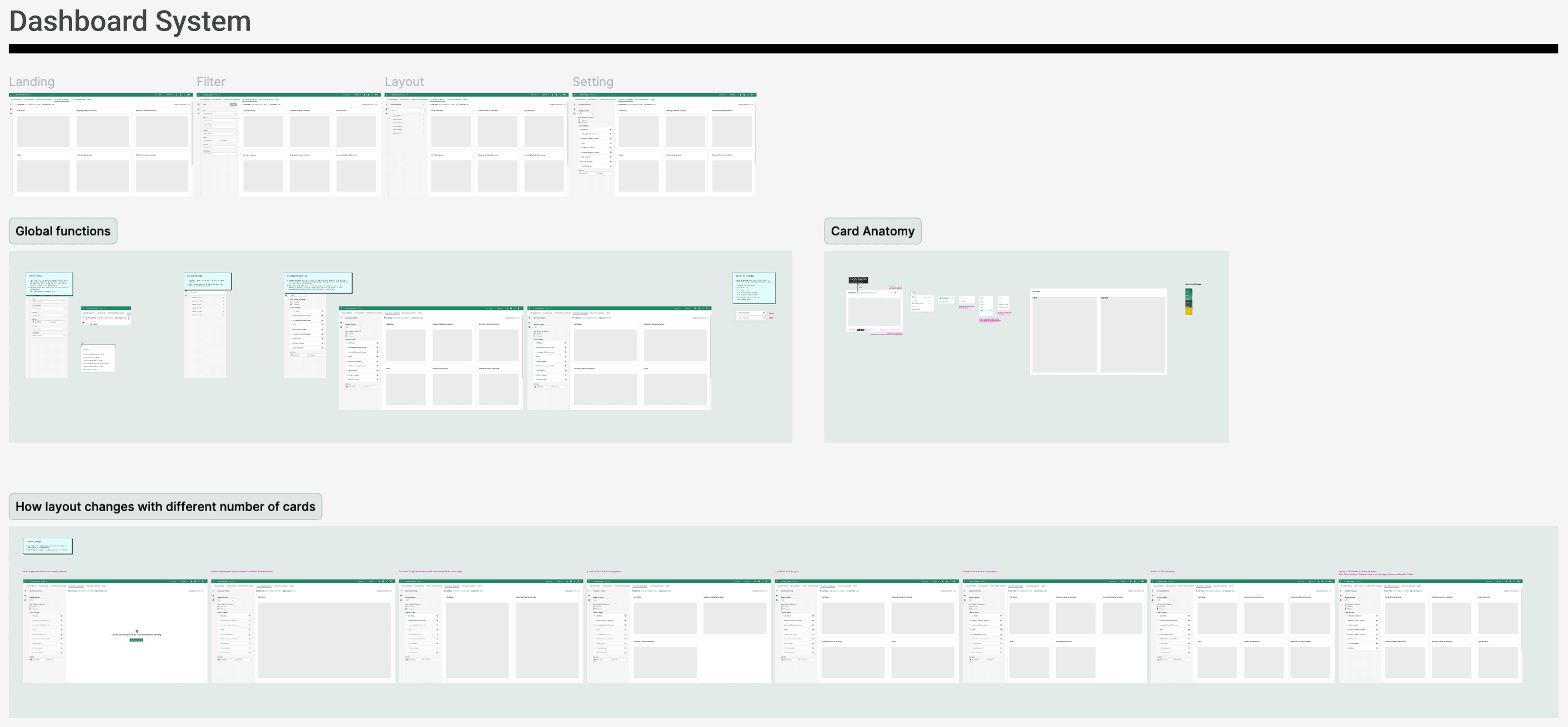
System Foundations
- Global controls
- Widget anatomy
- Card functions
- Layout behaviors
Adaptive Behaviors
- Responsive layouts
- Multiple card modes
- Context-aware filtering
- Internal/external variants
Scalable Architecture
- Reusable widget patterns
- Shared interaction logic
- Cross-product consistency
Key Design Decisions
Gradual Disclosure: The "Drill-to-Action" Flow
The Feature
Users can inspect filtered data via an inline drill-in view directly within the card, or deep-link into corresponding workflow pages for deeper execution.
The Value
This transforms the dashboard into an active operational workspace, allowing users to seamlessly transition between monitoring and task execution without losing visual context.
Data Transparency: Side-by-Side Analysis
The Feature
Visual charts and their underlying raw data tables are displayed side-by-side when users expand a widget into full-screen mode.
The Value
This enables operational users to instantly validate high-level trends against granular records, improving data trust and eliminating unnecessary view-switching.
Multi-Layered Filtering: Global vs. Contextual
The Feature
The dashboard utilizes global filters to define the broader workspace scope, paired with card-level filters for targeted, localized exploration.
The Value
This dual-layer approach allows users to rapidly isolate and compare specific data segments while maintaining their overarching workflow context.
Scaling & Impact
Platform Reach
4 product lines · 9 user personas
Validation
7 interview rounds · 20+ stakeholder sessions
Efficiency
About 50% faster follow-on design/dev cycles
Cognitive Unity
Shared mental model across Omnium suite
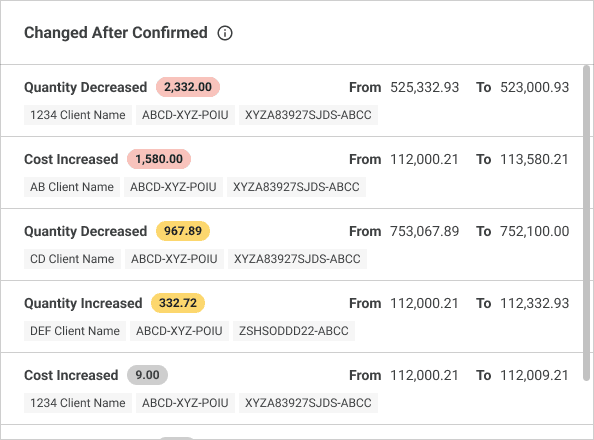
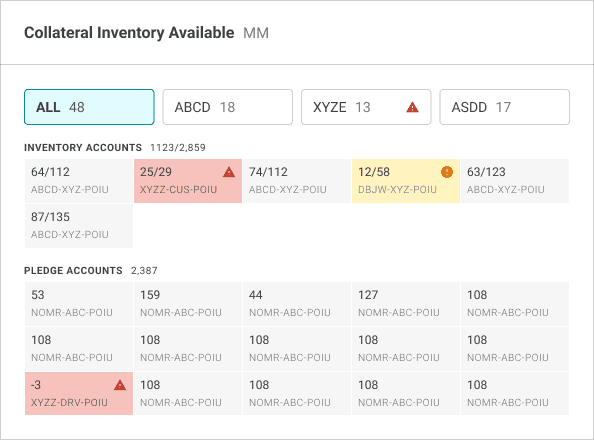
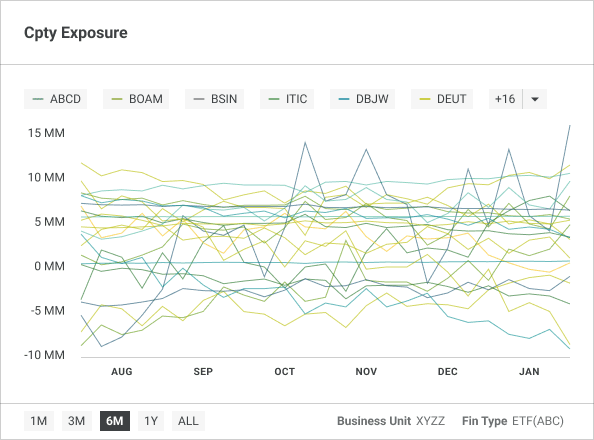
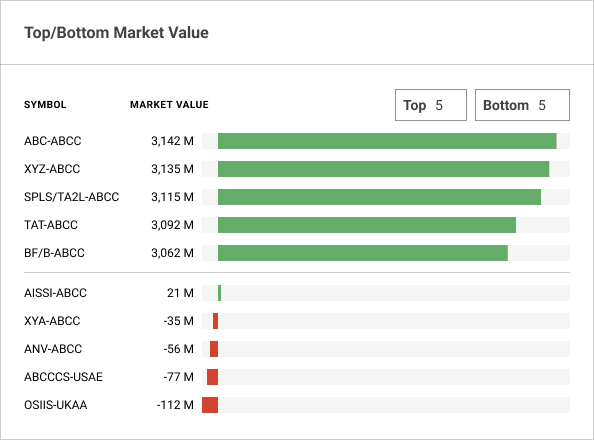
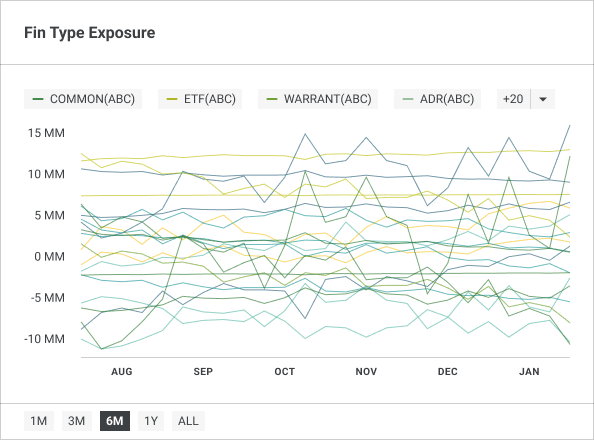
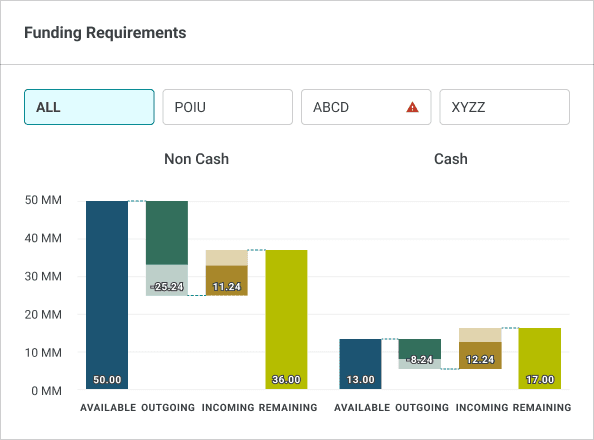
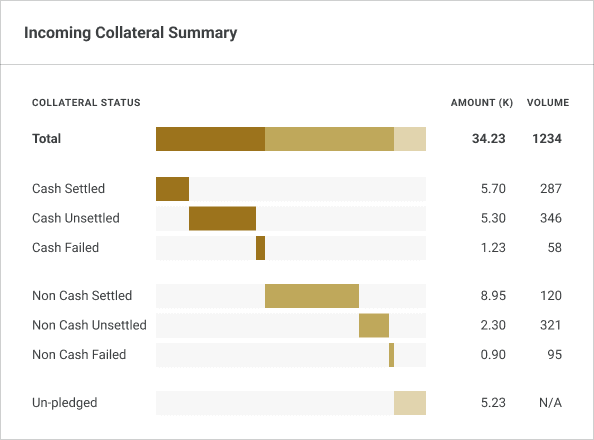
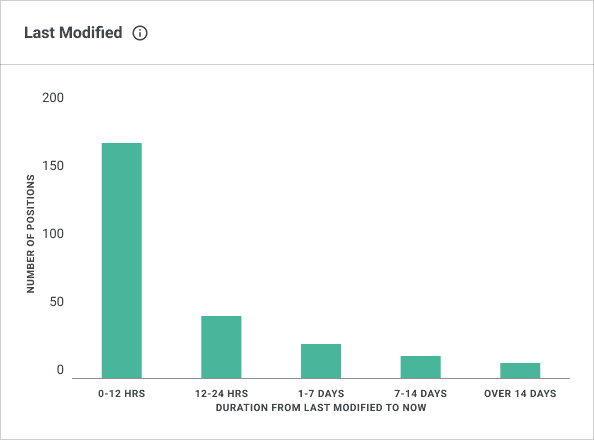
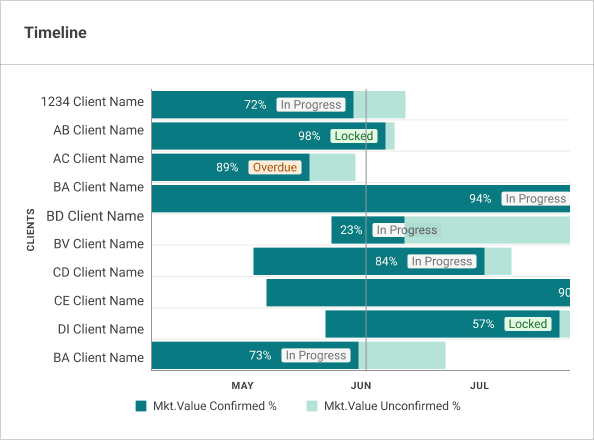
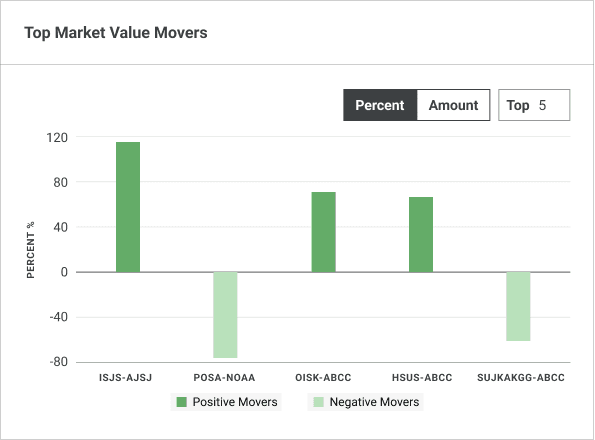
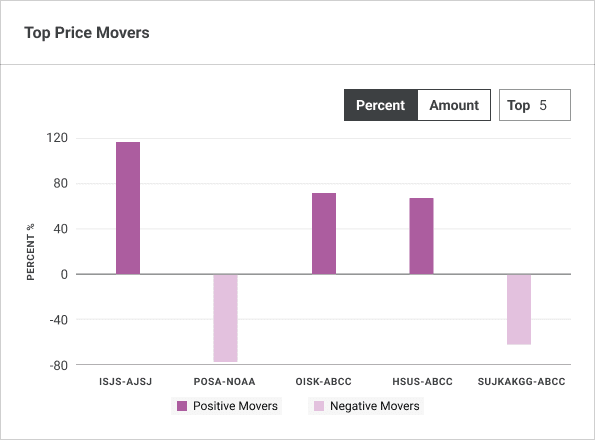
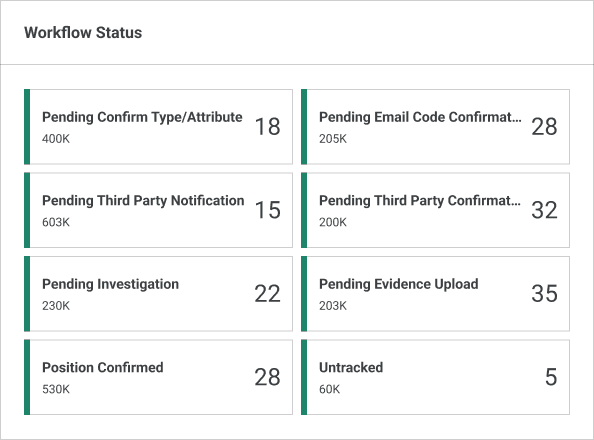
The Widget Inventory
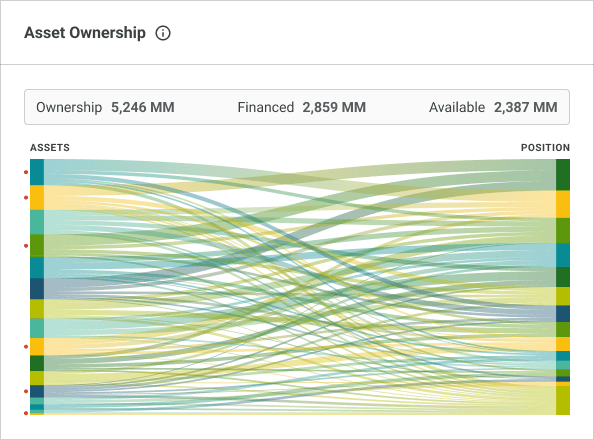
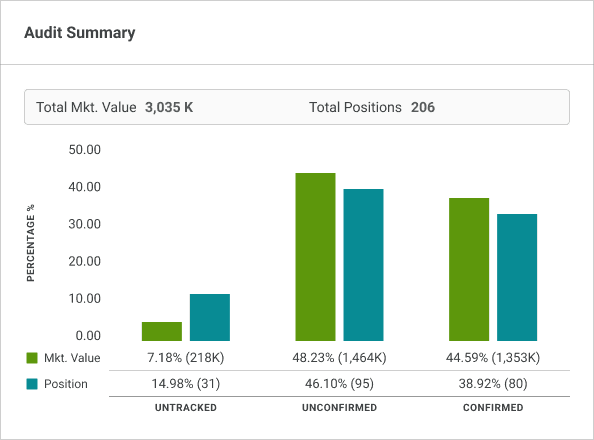
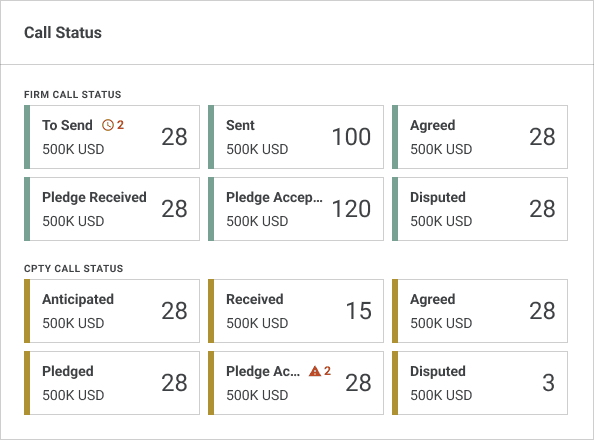
The Future Vision: The Omnium Command Center
From Fragmented Tools to a Unified Workspace
This system was built with a "North Star" in mind. As the Omnium ecosystem matures, these individual widgets are no longer confined to their respective products. They become modular building blocks for a Personalized Command Center.
The Vision: A cross-product landing page where every card is a portal to deep data, tailored to each user's unique workflow.
In the future, a user won't need to 'visit' four different apps to check their status. Instead, the most critical widgets from across the platform will surface on a single, unified landing page—transforming the dashboard from a reporting tool into the heart of the Omnium experience.
Reflections: Thinking Like an Architect
Designing a single dashboard is straightforward. But designing a system that scales across diverse products and evolves with a global platform requires stepping back from the canvas and thinking like an architect.
The most impactful work I did on this project wasn't drawing pixels—it was asking the right questions early enough to change the trajectory of the product. I moved the needle from "maximum flexibility" to "maximum clarity," ensuring that as Northern Trust grows, our users' ability to act grows with it.